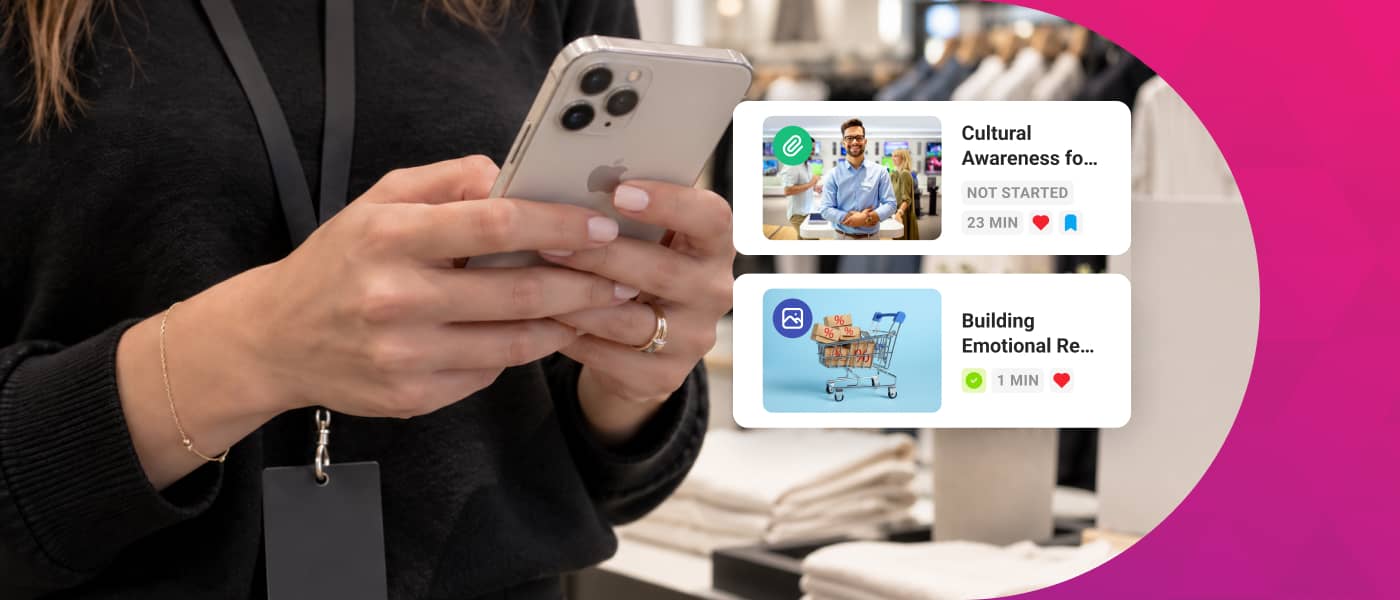
A frontline training platform is a technology solution designed specifically for deskless workers — employees in retail, logistics, hospitality, manufacturing, field services, and other roles carried out away from a desk, without regular access to a computer. Unlike a conventional corporate LMS, these platforms prioritize mobile access, short-form microlearning content, an extremely simple user experience, and the ability to function without a stable internet connection.
Frontline workers make up 80% of the global workforce, yet they have historically been the most overlooked group in corporate training programs.
World Economic Forum
Retail turnover rates range between 60% and 80% per year. In logistics and hospitality, the figures are no better. Behind that data there is a recurring pattern: employees who don’t feel trained, informed, or connected to their company — yet they are the ones serving customers on the front line, managing stock, following safety protocols, and representing the brand in every interaction.
Choosing the right training platform for your frontline team is not just a technology decision — it’s a strategic one that directly impacts retention, regulatory compliance, and customer experience. In this comparison, we analyze the best options on the market in 2026, their strengths, their limitations, and how to choose the one that best fits your type of team.
What does a frontline training platform need to deliver?
Not all corporate training tools work for deskless workers. Before comparing solutions, it’s worth being clear about which features are non-negotiable for this type of team. These are the five criteria that make the real difference:
100% mobile access: the app must work perfectly on any smartphone, without requiring special hardware or high-speed connectivity.
Native microlearning: content must be consumable in 2–5 minutes, fitting into the free moments of a fragmented workday. Find out what microlearning is and how to apply it.
Offline mode: the ability to download content and sync progress when connectivity is restored.
Built-in gamification: points, leaderboards, challenges, and rewards that turn training into a daily habit rather than a chore.
Internal communication in the same app: news feed, messaging, surveys, and employee recognition — without switching between tools.
80% of the global workforce are deskless workers, yet less than 1% of HR software is designed for them.
World Economic Forum, 2024
Types of platforms: not all of them work for frontline teams
The corporate training tools market is broad and varied. To choose well, it’s important to understand the differences between the main categories and which type of organization fits each one:
Type
Ideal profile
Limitation for frontline
Corporate LMS (Cornerstone, SAP SuccessFactors)
Large companies with structured office-based training
Educational institutions or tech-resourced companies
Intensive maintenance, no native mobile experience
The best training platforms for frontline teams in 2026
Below we analyze the most notable solutions on the market in 2026, evaluated against the criteria that matter most to L&D and HR teams managing frontline workers.
1) isEazy Engage
isEazy Engage is the all-in-one microlearning, communication, and knowledge management platform designed specifically for frontline team training. Developed in Europe and headquartered in Spain, it brings together in a single app everything deskless employees need: gamified learning content, a corporate news feed, chats and surveys, campaign management, and access to a document library — even offline. Unlike other solutions on the market, it integrates training, internal communication, and operations into a single mobile experience built for the real rhythm of frontline teams.
isEazy Engage
Features
Benefits
Pricing
Task management: Create and assign tasks effortlessly, plan and launch campaigns in real time, monitor progress across each location, and provide instant validation and feedback.
Instant communication: Interactive newsfeed, push notifications, chats and surveys, likes and comments. Launch your own communication channel to keep all your teams aligned with campaigns, promotions, and updates.
On-the-go training: Microlearning experiences, knowledge library, games and challenges, and training tracking. Agile and engaging learning adapted to the daily workflow of frontline teams.
Analytics: Comprehensive dashboard with key metrics on tasks, communication, and training. Access detailed reports instantly or schedule them to make strategic decisions in real time.
Document manager: Keep all documentation in one place, organized and structured by areas, folders, or tags, and available at every professional’s fingertips.
Gamification: Points, rankings, and rewards whenever employees review a document, interact with content, or participate in a game.
Collaborative environment: Employees can create and share their own content, add images, videos, and all kinds of external resources.
Roles and permissions: Control access to content, communications, and tasks by configuring roles and permissions based on department, region, or employee profile.
Integrated Artificial Intelligence: Manage projects more easily and find any content in seconds, even within multimedia resources.
Everything in one place: Operational management, instant communication, and on-the-go training centralized in a single app, eliminating the need for multiple tools.
Always aligned teams: Keep all your frontline professionals updated on everything happening in your business, from campaigns and promotions to internal procedures.
Multi-location management: Supervise teams and tasks across multiple stores or franchises from a single platform, with real-time visibility into operations.
Greater engagement and knowledge retention: The combination of training and gamification has achieved over 90% knowledge retention in customers such as Shiseido.
Full customization: Configure the app with your corporate identity and segment content, communications, and tasks according to departments, regions, or employee profiles.
Real-time decision-making: Comprehensive dashboard that allows you to visualize key metrics and access detailed reports on team performance whenever needed.
Designed for frontline workers: 80% of today’s workforce consists of frontline workers. 78% prefer using mobile devices to access information, and 68% consume content more effectively through microlearning experiences.
Flexible pricing model based on each company’s needs. Contact the isEazy Engage team to receive a personalized proposal.
Features
Task management: Create and assign tasks effortlessly, plan and launch campaigns in real time, monitor progress across each location, and provide instant validation and feedback.
Instant communication: Interactive newsfeed, push notifications, chats and surveys, likes and comments. Launch your own communication channel to keep all your teams aligned with campaigns, promotions, and updates.
On-the-go training: Microlearning experiences, knowledge library, games and challenges, and training tracking. Agile and engaging learning adapted to the daily workflow of frontline teams.
Analytics: Comprehensive dashboard with key metrics on tasks, communication, and training. Access detailed reports instantly or schedule them to make strategic decisions in real time.
Document manager: Keep all documentation in one place, organized and structured by areas, folders, or tags, and available at every professional’s fingertips.
Gamification: Points, rankings, and rewards whenever employees review a document, interact with content, or participate in a game.
Collaborative environment: Employees can create and share their own content, add images, videos, and all kinds of external resources.
Roles and permissions: Control access to content, communications, and tasks by configuring roles and permissions based on department, region, or employee profile.
Integrated Artificial Intelligence: Manage projects more easily and find any content in seconds, even within multimedia resources.
Benefits
Everything in one place: Operational management, instant communication, and on-the-go training centralized in a single app, eliminating the need for multiple tools.
Always aligned teams: Keep all your frontline professionals updated on everything happening in your business, from campaigns and promotions to internal procedures.
Multi-location management: Supervise teams and tasks across multiple stores or franchises from a single platform, with real-time visibility into operations.
Greater engagement and knowledge retention: The combination of training and gamification has achieved over 90% knowledge retention in customers such as Shiseido.
Full customization: Configure the app with your corporate identity and segment content, communications, and tasks according to departments, regions, or employee profiles.
Real-time decision-making: Comprehensive dashboard that allows you to visualize key metrics and access detailed reports on team performance whenever needed.
Designed for frontline workers: 80% of today’s workforce consists of frontline workers. 78% prefer using mobile devices to access information, and 68% consume content more effectively through microlearning experiences.
Pricing
Flexible pricing model based on each company’s needs. Contact the isEazy Engage team to receive a personalized proposal.
2) Axonify
Axonify is one of the benchmark frontline training platforms worldwide, especially in the North American market. Its approach is built around daily 3–5-minute sessions using AI-driven spaced repetition, designed to fit naturally into a work shift. Clients such as Walmart, Kroger, and Lowe’s demonstrate its ability to reach large volumes of distributed workers.
Centrical
Features
Benefits
Pricing
Gamification: includes points, badges, leaderboards, challenges, and competitions linked to learning activities and goals.
Microlearning: enables organizations to deliver short-form content, quizzes, and learning activities that fit into employees’ workdays.
Learning missions: organizes content and activities into structured journeys that guide learners through training.
Onboarding: enables organizations to create onboarding programs using missions, microlearning, and gamification mechanics.
Personalized learning: allows selected content and activities to be targeted according to learner knowledge and needs.
Progress tracking: enables organizations to review learner progress across assigned activities and programs.
Analytics: provides information on learning, participation, and selected performance indicators.
Integrations: supports content and data from LMS platforms and other business systems.
Gamification focus: uses game mechanics to support learning programs and performance tracking.
Bite-sized learning: enables short learning activities to be delivered through microlearning.
Continuous learning: allows initial training to be supplemented with additional activities, quizzes, and missions.
Gamified onboarding: enables onboarding to be structured through learning journeys, goals, and activities.
Mission-based organization: helps group content and activities into structured learning journeys.
Centralized tracking: provides information related to learner progress, training, and selected performance indicators.
Connection with other learning environments: supports content and data from external systems.
Custom pricing: Centrical does not publish a standard price for its solution.
Pricing model: licenses are priced per user.
Configuration: costs depend on the license type and selected functionality.
Quote: organizations must contact Centrical to receive a customized proposal.
Features
Gamification: includes points, badges, leaderboards, challenges, and competitions linked to learning activities and goals.
Microlearning: enables organizations to deliver short-form content, quizzes, and learning activities that fit into employees’ workdays.
Learning missions: organizes content and activities into structured journeys that guide learners through training.
Onboarding: enables organizations to create onboarding programs using missions, microlearning, and gamification mechanics.
Personalized learning: allows selected content and activities to be targeted according to learner knowledge and needs.
Progress tracking: enables organizations to review learner progress across assigned activities and programs.
Analytics: provides information on learning, participation, and selected performance indicators.
Integrations: supports content and data from LMS platforms and other business systems.
Benefits
Gamification focus: uses game mechanics to support learning programs and performance tracking.
Bite-sized learning: enables short learning activities to be delivered through microlearning.
Continuous learning: allows initial training to be supplemented with additional activities, quizzes, and missions.
Gamified onboarding: enables onboarding to be structured through learning journeys, goals, and activities.
Mission-based organization: helps group content and activities into structured learning journeys.
Centralized tracking: provides information related to learner progress, training, and selected performance indicators.
Connection with other learning environments: supports content and data from external systems.
Pricing
Custom pricing: Centrical does not publish a standard price for its solution.
Pricing model: licenses are priced per user.
Configuration: costs depend on the license type and selected functionality.
Quote: organizations must contact Centrical to receive a customized proposal.
3) YOOBIC
YOOBIC combines training, task management, and communication for retail and field teams. Its strength is on the operational side: digital checklists, photo-based task verification, and in-store execution analytics — making it particularly relevant for retailers that want to unify training with operational oversight at the point of sale.
Yoobic
Features
Benefits
Task management: enables organizations to create, assign, and track tasks for specific stores, locations, or employee groups.
Activity planning: supports the organization of tasks and actions according to dates, priorities, and audiences.
Internal communications: enables news, messages, and updates to be distributed to frontline teams.
Targeted communications: enables selected content to be delivered according to employee role, location, or group.
Microlearning: delivers short-form learning content designed to fit into the workday of frontline teams.
Content creation: includes tools for developing courses, quizzes, and other learning resources.
Onboarding: enables organizations to structure learning content and activities for new hires.
Learning tracking: provides visibility into participation, progress, and completion of assigned learning content.
Analytics: provides dashboards and reports related to tasks, learning, and team activity.
Mobile access: enables employees to review tasks, communications, and learning content from mobile devices.
Integrations: allows YOOBIC to connect with selected business systems and tools.
Frontline team focus: is primarily designed for organizations with employees distributed across multiple stores or locations.
Digital task management: enables selected manual processes to be replaced with assigned and trackable tasks.
Targeted communications: supports the distribution of information to different stores, roles, or employee groups.
Learning during the workday: enables short learning content to be incorporated into employees’ daily routines.
Tasks and learning: enables selected operational initiatives to be accompanied by learning content.
Mobile access: facilitates access to tasks, communications, and learning from different devices.
Centralized tracking: provides information related to task execution and learning activity.
Features
Task management: enables organizations to create, assign, and track tasks for specific stores, locations, or employee groups.
Activity planning: supports the organization of tasks and actions according to dates, priorities, and audiences.
Internal communications: enables news, messages, and updates to be distributed to frontline teams.
Targeted communications: enables selected content to be delivered according to employee role, location, or group.
Microlearning: delivers short-form learning content designed to fit into the workday of frontline teams.
Content creation: includes tools for developing courses, quizzes, and other learning resources.
Onboarding: enables organizations to structure learning content and activities for new hires.
Learning tracking: provides visibility into participation, progress, and completion of assigned learning content.
Analytics: provides dashboards and reports related to tasks, learning, and team activity.
Mobile access: enables employees to review tasks, communications, and learning content from mobile devices.
Integrations: allows YOOBIC to connect with selected business systems and tools.
Benefits
Frontline team focus: is primarily designed for organizations with employees distributed across multiple stores or locations.
Digital task management: enables selected manual processes to be replaced with assigned and trackable tasks.
Targeted communications: supports the distribution of information to different stores, roles, or employee groups.
Learning during the workday: enables short learning content to be incorporated into employees’ daily routines.
Tasks and learning: enables selected operational initiatives to be accompanied by learning content.
Mobile access: facilitates access to tasks, communications, and learning from different devices.
Centralized tracking: provides information related to task execution and learning activity.
4) SC Training (formerly EdApp)
SC Training, the evolution of EdApp following its integration into SafetyCulture, is one of the most accessible options on the market for getting started with mobile-first training. Its free plan for unlimited users makes it attractive for companies that want to try microlearning without upfront investment, and its template library speeds up content creation.
SC training (EdApp)
Features
Advantages
Pricing
SC training (EdApp) Features
Microlearning: delivers training through short micro-lessons designed to be completed in just a few minutes.
Mobile learning: enables learners to access training from smartphones, tablets, and computers.
Course creation: includes tools for creating, editing, and updating learning content within the same environment.
Course library: provides prebuilt courses that can be added to company training programs.
User and group management: allows administrators to organize learners into different audiences and distribute content by group.
Course management: supports priorities, due dates, and learning paths for organizing training.
Assessments: includes quizzes and activities for checking learner understanding.
Gamification: includes games, badges, and achievements linked to learning activities.
Certificates: enables organizations to create customized certificates for selected completed courses.
Notifications: sends reminders about assigned, upcoming, or overdue training.
Reporting: provides information about participation, progress, completion, and course results.
SC training (EdApp) Advantages
Microlearning focus: is specifically designed to deliver short-form training to frontline teams.
Mobile learning: enables employees to complete micro-lessons from different devices during their workday.
Built-in creation: allows teams to develop and distribute courses from the same learning environment.
Prebuilt content: enables organizations to supplement internal courses with resources from its course library.
Group-based delivery: supports distributing different content to selected learner groups.
Learning tracking: enables administrators to review progress and completion of assigned training.
Learning engagement: includes quizzes, games, achievements, and reminders linked to training activities.
SC training (EdApp) Pricing
Free option: SC Training allows organizations to start using selected functionality at no cost, subject to current service conditions.
Premium: Capterra currently lists pricing from USD 5 per user per month.
Business plans: terms may vary depending on the number of users and selected functionality.
Final pricing: organizations should request a quote directly from the provider to confirm the applicable terms.
Features
SC training (EdApp) Features
Microlearning: delivers training through short micro-lessons designed to be completed in just a few minutes.
Mobile learning: enables learners to access training from smartphones, tablets, and computers.
Course creation: includes tools for creating, editing, and updating learning content within the same environment.
Course library: provides prebuilt courses that can be added to company training programs.
User and group management: allows administrators to organize learners into different audiences and distribute content by group.
Course management: supports priorities, due dates, and learning paths for organizing training.
Assessments: includes quizzes and activities for checking learner understanding.
Gamification: includes games, badges, and achievements linked to learning activities.
Certificates: enables organizations to create customized certificates for selected completed courses.
Notifications: sends reminders about assigned, upcoming, or overdue training.
Reporting: provides information about participation, progress, completion, and course results.
Advantages
SC training (EdApp) Advantages
Microlearning focus: is specifically designed to deliver short-form training to frontline teams.
Mobile learning: enables employees to complete micro-lessons from different devices during their workday.
Built-in creation: allows teams to develop and distribute courses from the same learning environment.
Prebuilt content: enables organizations to supplement internal courses with resources from its course library.
Group-based delivery: supports distributing different content to selected learner groups.
Learning tracking: enables administrators to review progress and completion of assigned training.
Learning engagement: includes quizzes, games, achievements, and reminders linked to training activities.
Pricing
SC training (EdApp) Pricing
Free option: SC Training allows organizations to start using selected functionality at no cost, subject to current service conditions.
Premium: Capterra currently lists pricing from USD 5 per user per month.
Business plans: terms may vary depending on the number of users and selected functionality.
Final pricing: organizations should request a quote directly from the provider to confirm the applicable terms.
5) MobieTrain
MobieTrain is a mobile-first microlearning platform designed for frontline teams in retail, hospitality, and services. Its approach centers on ease of use for both employee and manager: content creation without technical expertise, progress tracking by team, and immediate access from any device without needing a computer.
Mobientrain
Features
Advantages
Disadvantages
Pricing
Mobile training and microlearning: creation and delivery of bite-sized modules designed so frontline teams can learn during their workday from mobile devices.
Gamification: points, badges, and levels primarily linked to learning progress to encourage participation and recognize employee achievements.
Internal communication: newsfeed, polls, push notifications, and team chat to distribute updates and connect employees across different locations and shifts.
AI Assistant: Mobie allows employees to use natural language to access information from corporate documents and content when they need support on the job.
AI-powered content creation: a tool that helps transform documents and other corporate materials into training content with Artificial Intelligence.
Coaching: tools that enable managers to provide feedback, support employee development, and reinforce the application of knowledge on the job.
Milestones: goals and milestones for tracking employee progress and recognizing achievements throughout their development.
Knowledge search: quick access to procedures, product information, and other resources employees may need during their workday.
Analytics: dashboards for monitoring training progress, engagement, knowledge gaps, and team development.
Event planning: organization of in-person or virtual training sessions, invitations, and attendance tracking directly within the platform.
Built for frontline teams: specifically designed for deskless employees in industries such as retail, hospitality, and logistics.
Strong mobile learning focus: microlearning is one of its core capabilities, making it possible to integrate bite-sized training into the daily flow of work.
Integrated communication: combines training with a newsfeed, polls, notifications, and team chat to keep distributed teams informed.
Performance support: its Operations Hub includes search, coaching, and an AI Assistant to help employees find information and apply knowledge during their workday.
Learning gamification: uses points, badges, levels, and milestones to recognize progress and encourage participation in training activities.
Ready-made content: its Content Academy provides pre-built training content for different industries and topics.
Greater focus on training and performance support: although MobieTrain includes an Operations Hub, its public proposition remains strongly centered on microlearning, onboarding, coaching, and knowledge access.
Less developed operational task management: creating, assigning, monitoring, and validating tasks by location is not presented as one of the main pillars of its current public offering.
Less focus on campaign execution: companies can communicate launches and updates through the newsfeed and notifications, but planning, deploying, and tracking operational campaigns across multiple locations is less central to the proposition.
Primarily learning-focused analytics: its dashboards place particular emphasis on training progress, engagement, development, and knowledge gaps, with less focus on comprehensive operational execution metrics.
Gamification primarily tied to learning: points, badges, levels, and milestones are mainly linked to development and training rather than being applied across tasks, documents, communications, and other employee interactions.
Less structured document management: MobieTrain provides knowledge search and access to corporate information, but structured document management through folders, areas, tags, and a dedicated document library is less prominent in its proposition.
No public pricing: MobieTrain has a dedicated pricing page, but it does not display fixed plans or rates publicly and requires users to submit their information to receive commercial details.
MobieTrain does not currently publish fixed plans or pricing on its website. Organizations need to complete its pricing form and contact the sales team to receive a proposal based on their specific requirements.
Features
Mobile training and microlearning: creation and delivery of bite-sized modules designed so frontline teams can learn during their workday from mobile devices.
Gamification: points, badges, and levels primarily linked to learning progress to encourage participation and recognize employee achievements.
Internal communication: newsfeed, polls, push notifications, and team chat to distribute updates and connect employees across different locations and shifts.
AI Assistant: Mobie allows employees to use natural language to access information from corporate documents and content when they need support on the job.
AI-powered content creation: a tool that helps transform documents and other corporate materials into training content with Artificial Intelligence.
Coaching: tools that enable managers to provide feedback, support employee development, and reinforce the application of knowledge on the job.
Milestones: goals and milestones for tracking employee progress and recognizing achievements throughout their development.
Knowledge search: quick access to procedures, product information, and other resources employees may need during their workday.
Analytics: dashboards for monitoring training progress, engagement, knowledge gaps, and team development.
Event planning: organization of in-person or virtual training sessions, invitations, and attendance tracking directly within the platform.
Advantages
Built for frontline teams: specifically designed for deskless employees in industries such as retail, hospitality, and logistics.
Strong mobile learning focus: microlearning is one of its core capabilities, making it possible to integrate bite-sized training into the daily flow of work.
Integrated communication: combines training with a newsfeed, polls, notifications, and team chat to keep distributed teams informed.
Performance support: its Operations Hub includes search, coaching, and an AI Assistant to help employees find information and apply knowledge during their workday.
Learning gamification: uses points, badges, levels, and milestones to recognize progress and encourage participation in training activities.
Ready-made content: its Content Academy provides pre-built training content for different industries and topics.
Disadvantages
Greater focus on training and performance support: although MobieTrain includes an Operations Hub, its public proposition remains strongly centered on microlearning, onboarding, coaching, and knowledge access.
Less developed operational task management: creating, assigning, monitoring, and validating tasks by location is not presented as one of the main pillars of its current public offering.
Less focus on campaign execution: companies can communicate launches and updates through the newsfeed and notifications, but planning, deploying, and tracking operational campaigns across multiple locations is less central to the proposition.
Primarily learning-focused analytics: its dashboards place particular emphasis on training progress, engagement, development, and knowledge gaps, with less focus on comprehensive operational execution metrics.
Gamification primarily tied to learning: points, badges, levels, and milestones are mainly linked to development and training rather than being applied across tasks, documents, communications, and other employee interactions.
Less structured document management: MobieTrain provides knowledge search and access to corporate information, but structured document management through folders, areas, tags, and a dedicated document library is less prominent in its proposition.
No public pricing: MobieTrain has a dedicated pricing page, but it does not display fixed plans or rates publicly and requires users to submit their information to receive commercial details.
Pricing
MobieTrain does not currently publish fixed plans or pricing on its website. Organizations need to complete its pricing form and contact the sales team to receive a proposal based on their specific requirements.
6) eduMe
eduMe is a mobile-first microlearning platform aimed at gig economy companies and logistics businesses. Its technical differentiator is the ability to embed training content directly inside the apps teams already use, eliminating the friction of downloading a new app. Particularly relevant for distributed workforces and external collaborators.
Edume
Features
Benefits
Microlearning: enables organizations to create and deliver short lessons primarily designed for frontline teams.
Mobile learning: provides access to learning content from smartphones, tablets, computers, and other devices used during the workday.
Content creation: includes tools for developing and updating lessons, guides, questions, and other learning resources.
Learning pathways: enables different resources to be organized into progressive learning journeys.
Knowledge Hubs: allows courses, guides, and other related resources to be grouped into knowledge spaces.
Content delivery: enables access to training through SMS, email, QR codes, and selected business tools.
Onboarding: supports onboarding programs built around short-form content and structured learning journeys.
Assessments: includes questions and activities for checking understanding of selected content.
Mandatory training: enables selected content to be marked as required and tracked for completion.
Tracking and reporting: provides information on learning activity, progress, and completion.
Integrations: connects with selected business tools through SSO, APIs, and integrations.
Microlearning focus: is particularly focused on delivering short-form training to frontline teams.
Bite-sized content: enables training to be divided into smaller units focused on specific learning needs.
Access during the workday: enables employees to review learning content from different devices when needed.
Built-in creation: allows organizations to develop and distribute learning resources from the same environment.
Knowledge organization: enables courses, guides, and other resources to be grouped into thematic spaces.
Onboarding programs: enables organizations to organize dedicated content for new hires.
Delivery through existing environments: enables selected content to be accessed through tools already used by the organization.
Learning tracking: provides visibility into learner progress and completion.
Features
Microlearning: enables organizations to create and deliver short lessons primarily designed for frontline teams.
Mobile learning: provides access to learning content from smartphones, tablets, computers, and other devices used during the workday.
Content creation: includes tools for developing and updating lessons, guides, questions, and other learning resources.
Learning pathways: enables different resources to be organized into progressive learning journeys.
Knowledge Hubs: allows courses, guides, and other related resources to be grouped into knowledge spaces.
Content delivery: enables access to training through SMS, email, QR codes, and selected business tools.
Onboarding: supports onboarding programs built around short-form content and structured learning journeys.
Assessments: includes questions and activities for checking understanding of selected content.
Mandatory training: enables selected content to be marked as required and tracked for completion.
Tracking and reporting: provides information on learning activity, progress, and completion.
Integrations: connects with selected business tools through SSO, APIs, and integrations.
Benefits
Microlearning focus: is particularly focused on delivering short-form training to frontline teams.
Bite-sized content: enables training to be divided into smaller units focused on specific learning needs.
Access during the workday: enables employees to review learning content from different devices when needed.
Built-in creation: allows organizations to develop and distribute learning resources from the same environment.
Knowledge organization: enables courses, guides, and other resources to be grouped into thematic spaces.
Onboarding programs: enables organizations to organize dedicated content for new hires.
Delivery through existing environments: enables selected content to be accessed through tools already used by the organization.
Learning tracking: provides visibility into learner progress and completion.
Feature comparison: top frontline platforms in 2026
The following comparison analyzes the key capabilities of each platform against the criteria that matter most to L&D and HR teams managing frontline workers. Use it as a starting point and match it against your organization’s specific priorities.
Mobile access and microlearning
Platform
Native mobile
Microlearning
isEazy Engage
Yes (iOS + Android)
Yes — gamified content nuggets
Axonify
Yes (iOS + Android)
Yes — 3-5 min AI-driven sessions
YOOBIC
Yes (iOS + Android)
Yes — with gamification
SC Training
Yes (iOS + Android)
Yes — ready-made templates
MobieTrain
Yes (iOS + Android)
Yes — mobile-first
eduMe
Yes (iOS + Android)
Yes — video-first
Gamification, internal communication, and pricing
Platform
Gamification
Internal communication
isEazy Engage
Leaderboards, challenges, rewards
News feed + integrated messaging
Axonify
Highly developed
Bidirectional
YOOBIC
Integrated
With operational checklists
SC Training
Basic
Not native
MobieTrain
Limited
Basic
eduMe
Minimal
Not native
How to choose the right platform for your frontline team
There is no universal platform. The right fit depends on your sector, team size, current level of digital adoption, and the specific problem you want to solve first. Here is a quick guide by profile:
Profile / sector
Key priority
Recommended option
Multi-site retail
Unified training + operations
isEazy Engage / YOOBIC
Logistics and distribution
Offline + access without corporate email
isEazy Engage / Axonify
Hospitality and restaurants
Fast onboarding, high turnover
SC Training / MobieTrain
Manufacturing and field work
Safety, compliance, offline
Axonify / SC Training
Gig economy / external workers
No extra app, embedded in existing workflow
eduMe
Beyond sector, three questions should guide your evaluation before requesting demos:
What devices does your team use? If they use personal phones (BYOD), you need a lightweight app that doesn’t require a corporate email or complex installation.
What is your main challenge: training, communication, or operations? If you need all three, an all-in-one solution like isEazy Engage will prevent your team from switching between multiple apps.
Do you have an internal team to create content? If not, prioritize platforms with ready-to-use templates. Learn more about learner engagement and how it drives training results.
Success stories: frontline teams that have already made the leap
Shiseido increased training engagement across its distributor network in multiple countries through a gamified app experience that employees adopted naturally, without any prior technical training. See how they did it →
Bridgestone deployed a 100% mobile gamified training environment for its distribution network across Latin America, reaching distributors spread across multiple countries without depending on a stable internet connection. Read the Bridgestone case →
Your network of stores working as a single team
Unified operations, instant communication, and real-time performance data
Choosing the right training platform for frontline teams is a decision that goes far beyond comparing a feature checklist. Frontline workers need a solution that fits their daily reality — accessible from a mobile device, usable in seconds, available offline, and capable of sustaining engagement over time, not just during onboarding. The platforms reviewed in this comparison represent the best the market has to offer in 2026, but each one is suited to a different profile: from enterprise solutions for large retailers to accessible options for companies taking their first steps into microlearning.
If you’re looking for a platform that combines gamified training, internal communication, and operational management in a single app — with native Spanish support, GDPR compliance, and European infrastructure — isEazy Engage is built specifically for that challenge. You can explore the platform and see how it fits your team’s needs by booking a free demo.
Frequently asked questions about frontline training platforms
What is the difference between an LMS and a frontline training platform?
An LMS (Learning Management System) is primarily designed to manage training programs in office environments, with desktop access and a focus on structured, long-form courses. A frontline training platform, on the other hand, is optimized for deskless workers: it prioritizes mobile access, short microlearning content, the ability to train offline, and a user experience simple enough to require no prior technical knowledge. The best frontline platforms also integrate communication, task management, and gamification into the same app — something traditional LMS solutions rarely offer.
Can frontline workers complete training without an internet connection?
Yes, many frontline training platforms offer an offline mode: employees download content when they have a connection and consume it later without needing mobile data. This is especially important in sectors like logistics, construction, or field work, where internet access isn’t always guaranteed. When connectivity is restored, the platform automatically syncs progress and training records. Not all solutions on the market include this feature, which makes it a key criterion when comparing platforms.
What is microlearning and why is it ideal for frontline teams?
Microlearning is a training methodology that organizes content into short modules of between 2 and 10 minutes, designed to be consumed at the moment they’re needed. For frontline teams it’s particularly effective for three reasons: it fits their fragmented workdays (employees can train between shifts or during a break), it improves retention by focusing on a single idea per module, and it adapts perfectly to a mobile screen without requiring prior context. Industry studies show that microlearning can increase knowledge retention by up to 80% compared to longer formats.
How is the impact of training measured in frontline teams?
The impact of frontline training is measured by combining activity metrics (completion rates, access frequency, average time spent) with business indicators (staff turnover, incidents, shift productivity, compliance audit results). The best platforms offer real-time dashboards for managers and L&D leads, making it possible to identify knowledge gaps by team, store, or region before they translate into operational issues. Linking training data to business KPIs is the most robust way to demonstrate the ROI of training investment in frontline teams.
Your stores, all in a row. Your team, unstoppable
Operations, communication, and training all in one AI-powered app. For teams without desktops
Here you can assess and customize the services that we'd like to use on this website. You're in charge! Enable or disable services as you see fit. To learn more, please read our .
We have to include them in order for certain web pages to function securely. These cookies are strictly necessary, so they cannot be rejected or modified.
Cookie
Duration
Description
_ga
2 years
The _ga cookie, installed by Google Analytics, calculates visitor, session and campaign data and also keeps track of site usage for the site's analytics report. The cookie stores information anonymously and assigns a randomly generated number to recognize unique visitors.
_ga_YW3LY84JY6
2 years
This cookie is installed by Google Analytics.
_gat_gtag_UA_90425332_3
1 minute
Set by Google to distinguish users.
_gat_UA-26043609-7
1 minute
A variation of the _gat cookie set by Google Analytics and Google Tag Manager to allow website owners to track visitor behaviour and measure site performance. The pattern element in the name contains the unique identity number of the account or website it relates to.
_gat_UA-90425332-3
1 minute
A variation of the _gat cookie set by Google Analytics and Google Tag Manager to allow website owners to track visitor behaviour and measure site performance. The pattern element in the name contains the unique identity number of the account or website it relates to.
_gcl_au
3 months
Provided by Google Tag Manager to experiment advertisement efficiency of websites using their services.
_gid
1 day
Installed by Google Analytics, _gid cookie stores information on how visitors use a website, while also creating an analytics report of the website's performance. Some of the data that are collected include the number of visitors, their source, and the pages they visit anonymously.
_icl_visitor_lang_js
1 day
This cookie is stored by WPML WordPress plugin. The purpose of the cookie is to store the redirected language.
Bootstrap
11 months
Bootstrap code
cookielawinfo-checkbox-advertisement
1 year
Set by the GDPR Cookie Consent plugin, this cookie is used to record the user consent for the cookies in the "Advertisement" category .
cookielawinfo-checkbox-analytics
11 months
This cookie is set by GDPR Cookie Consent plugin. The cookie is used to store the user consent for the cookies in the category "Analytics".
cookielawinfo-checkbox-functional
11 months
The cookie is set by GDPR cookie consent to record the user consent for the cookies in the category "Functional".
cookielawinfo-checkbox-nece
1 year
Cookie law info
cookielawinfo-checkbox-necessary
11 months
This cookie is set by GDPR Cookie Consent plugin. The cookies is used to store the user consent for the cookies in the category "Necessary".
cookielawinfo-checkbox-others
11 months
This cookie is set by GDPR Cookie Consent plugin. The cookie is used to store the user consent for the cookies in the category "Other.
cookielawinfo-checkbox-performance
11 months
This cookie is set by GDPR Cookie Consent plugin. The cookie is used to store the user consent for the cookies in the category "Performance".
CookieLawInfoConsent
1 year
Records the default button state of the corresponding category & the status of CCPA. It works only in coordination with the primary cookie.
elementor
never
This cookie is used by the website's WordPress theme. It allows the website owner to implement or change the website's content in real-time.
Google Font API
11 months
Google Font API
IDE
1 year 24 days
Google DoubleClick IDE cookies are used to store information about how the user uses the website to present them with relevant ads and according to the user profile.
Pardot
11 months
The pardot cookie is set while the visitor is logged in as a Pardot user. The cookie indicates an active session and is not used for tracking.
test_cookie
15 minutes
The test_cookie is set by doubleclick.net and is used to determine if the user's browser supports cookies.
viewed_cookie_policy
11 months
The cookie is set by the GDPR Cookie Consent plugin and is used to store whether or not user has consented to the use of cookies. It does not store any personal data.
wp-wpml_current_language
session
Language cookies
wpml_browser_redirect_test
session
This cookie is set by WPML WordPress plugin and is used to test if cookies are enabled on the browser.
They collect information in order to measure, evaluate performance, and improve the quality of your experience on our site.
Cookie
Duration
Description
_ga
2 years
The _ga cookie, installed by Google Analytics, calculates visitor, session and campaign data and also keeps track of site usage for the site's analytics report. The cookie stores information anonymously and assigns a randomly generated number to recognize unique visitors.
_ga_YW3LY84JY6
2 years
This cookie is installed by Google Analytics.
_gat_gtag_UA_90425332_3
1 minute
Set by Google to distinguish users.
_gat_UA-26043609-7
1 minute
A variation of the _gat cookie set by Google Analytics and Google Tag Manager to allow website owners to track visitor behaviour and measure site performance. The pattern element in the name contains the unique identity number of the account or website it relates to.
_gat_UA-90425332-3
1 minute
A variation of the _gat cookie set by Google Analytics and Google Tag Manager to allow website owners to track visitor behaviour and measure site performance. The pattern element in the name contains the unique identity number of the account or website it relates to.
_gcl_au
3 months
Provided by Google Tag Manager to experiment advertisement efficiency of websites using their services.
_gid
1 day
Installed by Google Analytics, _gid cookie stores information on how visitors use a website, while also creating an analytics report of the website's performance. Some of the data that are collected include the number of visitors, their source, and the pages they visit anonymously.
_icl_visitor_lang_js
1 day
This cookie is stored by WPML WordPress plugin. The purpose of the cookie is to store the redirected language.
wpml_browser_redirect_test
session
This cookie is set by WPML WordPress plugin and is used to test if cookies are enabled on the browser.
We use them to provide you with efficient and personalized advertisements that we believe are relevant to your interests. You may see them on other sites that you visit.
Cookie
Duration
Description
IDE
1 year 24 days
Google DoubleClick IDE cookies are used to store information about how the user uses the website to present them with relevant ads and according to the user profile.
test_cookie
15 minutes
The test_cookie is set by doubleclick.net and is used to determine if the user's browser supports cookies.