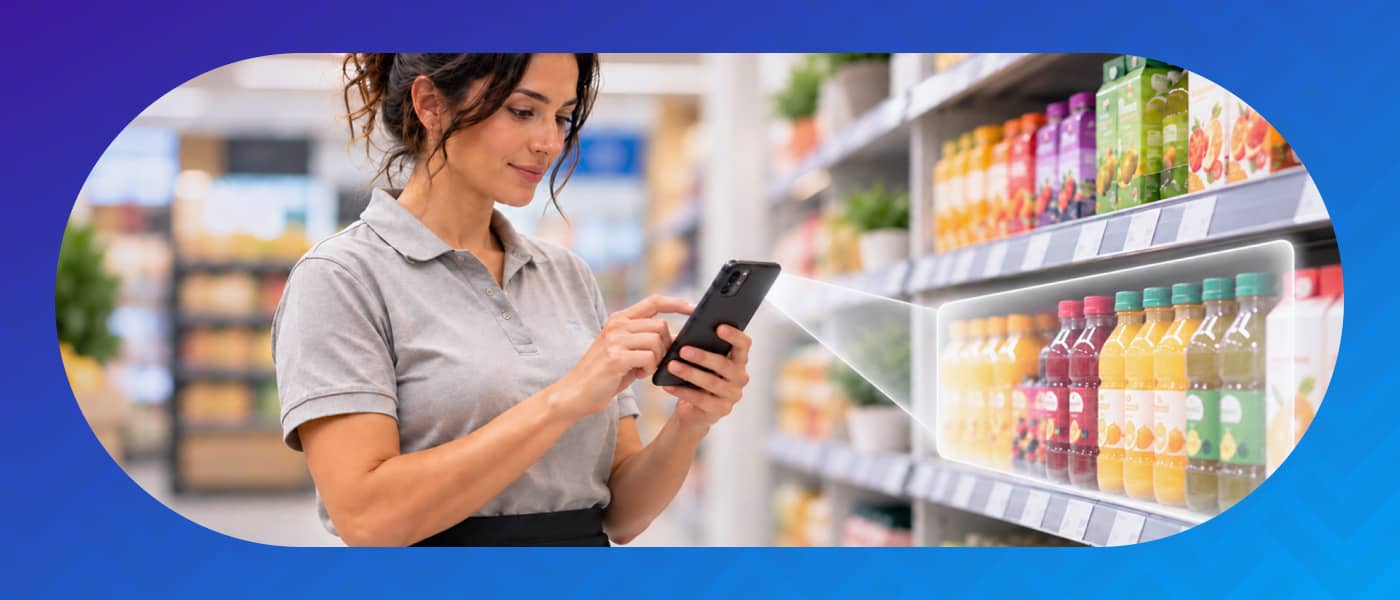
When a campaign launches, the clock starts ticking. Materials are ready, the plan has been signed off — but on the shop floor, things can look very different: sales associates who aren’t sure what to promote, messages that arrive late or never reach all shifts, inconsistent execution across locations. Retail training fails when it arrives too late or disconnected from day-to-day operations.
Effective retail training isn't the one that delivers the most content — it's the one that reaches the team before they need it, in the right format, with the ability to verify it has been applied.
isEazy Engage
The real problem with retail training
The retail sector operates under conditions that make it particularly demanding from a training perspective. High staff turnover, teams spread across multiple locations, rotating shifts, and employees who, in many cases, have no access to a computer during their working day.
The result is well-known: it is estimated that a retail employee takes an average of 35 days to become fully autonomous without a structured onboarding programme. And the real compliance rate in store — that is, the percentage of times processes are executed exactly as defined — hovers around 40% in organisations without digital monitoring tools.
On top of this, approximately 20% of store team time is lost searching for information: updated prices, campaign instructions, product materials. Information that exists somewhere but doesn’t reach the point of sale effectively when it’s needed most.
High turnover: every new hire restarts the training cycle from scratch.
Geographic dispersion: coordinating the same information across 50, 100 or 500 stores is a significant logistical challenge.
Multiple shifts: messages communicated in one shift don’t automatically reach the next.
Digital disconnect:frontline employees have no access to corporate email or intranets during their working day.
Why campaigns fail before they reach the shop floor
The problem rarely lies in the quality of the campaign plan itself. It lies in the last mile: getting information from the central team to the sales associates at the point of sale.
The usual channels — WhatsApp, email, phone calls, PDF documents — have structural limitations in this environment. There’s no way of knowing who has read a message, whether it has reached all shifts, or whether the content has been correctly understood. There’s no traceability and no way to verify execution.
When launch day arrives, the marketing team has prepared flawless materials. But in store, execution can vary enormously: some associates know the product, others don’t. Some know the promotional price, others don’t. Some have seen the visual materials, others are still working with last season’s signage.
The result is inconsistency. And inconsistency in retail translates directly into lost sales and customer experiences that fall short of brand expectations.
How to activate your team for every launch: a 4-step framework
Activating a team for a campaign or launch is not the same as training them. Training prepares; activation ensures that preparation converts into real execution. This four-step framework works best in retail organisations with multiple points of sale:
1. Communicate early, not on launch day. Campaign information must reach store teams with enough lead time to absorb it, ask questions and prepare. Communicating on the day of launch generates errors and improvisation.
2. Train in microformats adapted to the shop floor. Training must be short, visual and consumable in 5–10 minutes from a mobile device, ideally during a quiet moment in the working day. Long courses don’t work in retail; targeted micro-content does: “how to explain this product”, “what is the price and the mechanics of the promotion”, “how to set up the campaign display materials”.
3. Validate execution with evidence. Knowing that an employee has completed the training is not enough. You need to verify that what was learned has been applied: is the product in the right place? Is the signage up? Can the associate explain the promotion? Checklists with photo evidence make this monitoring possible without physical visits.
4. Measure and course-correct in real time. A dashboard showing campaign adoption status by store allows you to intervene before problems escalate. If 70% of stores have completed training but 30% haven’t, there’s still time to act before the key date.
Dimension
Reactive training (traditional model)
Activating training (integrated model)
When training happens
After the campaign or when a problem arises
Before the launch, with enough lead time
Channel
Email, PDF, phone call, WhatsApp
Single mobile app with instant push
Format
Long document or in-person session
Short content adapted for mobile
Verification
No real traceability
Checklists with evidence and real-time dashboard
Consistency across stores
Variable, depends on the line manager
Consistent, controlled from the centre
Time to autonomy
~35 days without structured onboarding
Significant reduction with integrated microlearning
The three key moments for retail training
Not all retail training has the same purpose or the same rhythm. There are three distinct moments that each require a specific approach:
Onboarding. A new employee’s first contact with the company, its processes, products and culture. This is the most critical moment for reducing early turnover and accelerating autonomy. A poorly structured onboarding programme unnecessarily extends the time before an employee can work independently.
Continuous training and updates. Products change, prices change, processes change. Teams need a constant flow of brief updates that keep them current without disrupting their working day. This type of training is the most overlooked and has the greatest silent impact on day-to-day operational errors.
Activation for campaigns and launches. This is the moment of greatest urgency and highest risk. The preparation window is short, the consequences of poor execution are immediate, and coordination across multiple stores is essential. This is where the difference between an activated team and one that has merely been informed becomes most visible.
What an app needs to activate store teams
Not all digital tools are built for the point-of-sale environment. A traditional LMS, designed for office employees with time and a screen available, doesn’t solve the specific challenges of retail. To activate store teams effectively, a digital tool needs to integrate three capabilities:
Communication with traceability: push messages that reach all shifts, with read confirmation and the ability to give structured responses. Without this, communication depends on intermediaries and information gets lost or distorted.
Training in microformats consumable in store: short, visual content, accessible from a personal mobile and that doesn’t require a stable connection. Formats such as short videos, quick quizzes or infographics are far more effective in this environment than traditional courses.
Operational validation with evidence: checklists that the employee completes at the point of sale, with the option to attach a photo as evidence. This closes the loop between “we have trained the team” and “the team has executed what they were trained to do”.
isEazy Engage is a solution built specifically for this environment — combining communication, training and operational validation in a single app designed for deskless workers. Want to see how it works? Request a demo.
Clarel is a good example of how integrating training and communication in a single environment can transform execution capacity in store. The drugstore chain, with over 300 locations, was able to train its point-of-sale teams simultaneously, ensuring campaign information reached every employee at the same time and with full traceability. Find out how they did it →
Digitize your point-of-sale management and put an end to hidden errors
The market offers a range of solutions for retail training. Each takes a different approach: some prioritise content creation, others learning management, others operational communication. Below, a comparison of the main options available:
isEazy Engage
Features
Benefits
Pricing
Task management: Create and assign tasks effortlessly, plan and launch campaigns in real time, monitor progress across each location, and provide instant validation and feedback.
Instant communication: Interactive newsfeed, push notifications, chats and surveys, likes and comments. Launch your own communication channel to keep all your teams aligned with campaigns, promotions, and updates.
On-the-go training: Microlearning experiences, knowledge library, games and challenges, and training tracking. Agile and engaging learning adapted to the daily workflow of frontline teams.
Analytics: Comprehensive dashboard with key metrics on tasks, communication, and training. Access detailed reports instantly or schedule them to make strategic decisions in real time.
Document manager: Keep all documentation in one place, organized and structured by areas, folders, or tags, and available at every professional’s fingertips.
Gamification: Points, rankings, and rewards whenever employees review a document, interact with content, or participate in a game.
Collaborative environment: Employees can create and share their own content, add images, videos, and all kinds of external resources.
Roles and permissions: Control access to content, communications, and tasks by configuring roles and permissions based on department, region, or employee profile.
Integrated Artificial Intelligence: Manage projects more easily and find any content in seconds, even within multimedia resources.
Everything in one place: Operational management, instant communication, and on-the-go training centralized in a single app, eliminating the need for multiple tools.
Always aligned teams: Keep all your frontline professionals updated on everything happening in your business, from campaigns and promotions to internal procedures.
Multi-location management: Supervise teams and tasks across multiple stores or franchises from a single platform, with real-time visibility into operations.
Greater engagement and knowledge retention: The combination of training and gamification has achieved over 90% knowledge retention in customers such as Shiseido.
Full customization: Configure the app with your corporate identity and segment content, communications, and tasks according to departments, regions, or employee profiles.
Real-time decision-making: Comprehensive dashboard that allows you to visualize key metrics and access detailed reports on team performance whenever needed.
Designed for frontline workers: 80% of today’s workforce consists of frontline workers. 78% prefer using mobile devices to access information, and 68% consume content more effectively through microlearning experiences.
Flexible pricing model based on each company’s needs. Contact the isEazy Engage team to receive a personalized proposal.
Features
Task management: Create and assign tasks effortlessly, plan and launch campaigns in real time, monitor progress across each location, and provide instant validation and feedback.
Instant communication: Interactive newsfeed, push notifications, chats and surveys, likes and comments. Launch your own communication channel to keep all your teams aligned with campaigns, promotions, and updates.
On-the-go training: Microlearning experiences, knowledge library, games and challenges, and training tracking. Agile and engaging learning adapted to the daily workflow of frontline teams.
Analytics: Comprehensive dashboard with key metrics on tasks, communication, and training. Access detailed reports instantly or schedule them to make strategic decisions in real time.
Document manager: Keep all documentation in one place, organized and structured by areas, folders, or tags, and available at every professional’s fingertips.
Gamification: Points, rankings, and rewards whenever employees review a document, interact with content, or participate in a game.
Collaborative environment: Employees can create and share their own content, add images, videos, and all kinds of external resources.
Roles and permissions: Control access to content, communications, and tasks by configuring roles and permissions based on department, region, or employee profile.
Integrated Artificial Intelligence: Manage projects more easily and find any content in seconds, even within multimedia resources.
Benefits
Everything in one place: Operational management, instant communication, and on-the-go training centralized in a single app, eliminating the need for multiple tools.
Always aligned teams: Keep all your frontline professionals updated on everything happening in your business, from campaigns and promotions to internal procedures.
Multi-location management: Supervise teams and tasks across multiple stores or franchises from a single platform, with real-time visibility into operations.
Greater engagement and knowledge retention: The combination of training and gamification has achieved over 90% knowledge retention in customers such as Shiseido.
Full customization: Configure the app with your corporate identity and segment content, communications, and tasks according to departments, regions, or employee profiles.
Real-time decision-making: Comprehensive dashboard that allows you to visualize key metrics and access detailed reports on team performance whenever needed.
Designed for frontline workers: 80% of today’s workforce consists of frontline workers. 78% prefer using mobile devices to access information, and 68% consume content more effectively through microlearning experiences.
Pricing
Flexible pricing model based on each company’s needs. Contact the isEazy Engage team to receive a personalized proposal.
Trainual
Features
Advantages
Pricing
Trainual Features
Create custom manuals and guides.
Multimedia content (videos, images, quizzes).
Automatic assignment of materials based on role.
Progress tracking and reminders.
Integrates with tools such as Slack, Zapier and G Suite.
Trainual Advantages
Designed to document and structure internal processes.
Interactive and engaging learning experience.
Assists the digitalization and scalability of training processes.
Compatible with small and medium-sized companies.
Trainual Pricing
Small Plan $249/month billed annually.
Medium Plan $279/month billed annually.
Growth Plan $419/month billed annually.
Custom Plan/contact the sales department directly.
Features
Trainual Features
Create custom manuals and guides.
Multimedia content (videos, images, quizzes).
Automatic assignment of materials based on role.
Progress tracking and reminders.
Integrates with tools such as Slack, Zapier and G Suite.
Advantages
Trainual Advantages
Designed to document and structure internal processes.
Interactive and engaging learning experience.
Assists the digitalization and scalability of training processes.
Compatible with small and medium-sized companies.
Pricing
Trainual Pricing
Small Plan $249/month billed annually.
Medium Plan $279/month billed annually.
Growth Plan $419/month billed annually.
Custom Plan/contact the sales department directly.
SC training (EdApp)
Features
Advantages
Pricing
SC training (EdApp) Features
Microlearning: delivers training through short micro-lessons designed to be completed in just a few minutes.
Mobile learning: enables learners to access training from smartphones, tablets, and computers.
Course creation: includes tools for creating, editing, and updating learning content within the same environment.
Course library: provides prebuilt courses that can be added to company training programs.
User and group management: allows administrators to organize learners into different audiences and distribute content by group.
Course management: supports priorities, due dates, and learning paths for organizing training.
Assessments: includes quizzes and activities for checking learner understanding.
Gamification: includes games, badges, and achievements linked to learning activities.
Certificates: enables organizations to create customized certificates for selected completed courses.
Notifications: sends reminders about assigned, upcoming, or overdue training.
Reporting: provides information about participation, progress, completion, and course results.
SC training (EdApp) Advantages
Microlearning focus: is specifically designed to deliver short-form training to frontline teams.
Mobile learning: enables employees to complete micro-lessons from different devices during their workday.
Built-in creation: allows teams to develop and distribute courses from the same learning environment.
Prebuilt content: enables organizations to supplement internal courses with resources from its course library.
Group-based delivery: supports distributing different content to selected learner groups.
Learning tracking: enables administrators to review progress and completion of assigned training.
Learning engagement: includes quizzes, games, achievements, and reminders linked to training activities.
SC training (EdApp) Pricing
Free option: SC Training allows organizations to start using selected functionality at no cost, subject to current service conditions.
Premium: Capterra currently lists pricing from USD 5 per user per month.
Business plans: terms may vary depending on the number of users and selected functionality.
Final pricing: organizations should request a quote directly from the provider to confirm the applicable terms.
Features
SC training (EdApp) Features
Microlearning: delivers training through short micro-lessons designed to be completed in just a few minutes.
Mobile learning: enables learners to access training from smartphones, tablets, and computers.
Course creation: includes tools for creating, editing, and updating learning content within the same environment.
Course library: provides prebuilt courses that can be added to company training programs.
User and group management: allows administrators to organize learners into different audiences and distribute content by group.
Course management: supports priorities, due dates, and learning paths for organizing training.
Assessments: includes quizzes and activities for checking learner understanding.
Gamification: includes games, badges, and achievements linked to learning activities.
Certificates: enables organizations to create customized certificates for selected completed courses.
Notifications: sends reminders about assigned, upcoming, or overdue training.
Reporting: provides information about participation, progress, completion, and course results.
Advantages
SC training (EdApp) Advantages
Microlearning focus: is specifically designed to deliver short-form training to frontline teams.
Mobile learning: enables employees to complete micro-lessons from different devices during their workday.
Built-in creation: allows teams to develop and distribute courses from the same learning environment.
Prebuilt content: enables organizations to supplement internal courses with resources from its course library.
Group-based delivery: supports distributing different content to selected learner groups.
Learning tracking: enables administrators to review progress and completion of assigned training.
Learning engagement: includes quizzes, games, achievements, and reminders linked to training activities.
Pricing
SC training (EdApp) Pricing
Free option: SC Training allows organizations to start using selected functionality at no cost, subject to current service conditions.
Premium: Capterra currently lists pricing from USD 5 per user per month.
Business plans: terms may vary depending on the number of users and selected functionality.
Final pricing: organizations should request a quote directly from the provider to confirm the applicable terms.
TalentCards
Features
Advantages
Pricing
TalentCards Features
Create microlearning courses using customizable flashcard sets.
Integrates multimedia elements such as images, audio and video into flashcards.
Automatically generates courses complete with content and assessments using artificial intelligence.
Spaced repetition algorithm to reinforce learning.
Gamification elements including points, rankings and challenges.
Offline access.
Automatically translated content.
Polls and surveys to collect user feedback.
Push notifications to keep users up to date on new content.
Advanced analytics for student progress and performance tracking.
TalentCards Advantages
Allows employees to train through their mobile devices.
Delivers learning through short, focused sessions.
Enhances knowledge retention through spaced repetition techniques.
Boosts engagement and motivation through gamification features.
Allows access to training content anytime, anywhere, even without an internet connection.
Provides real-time insights into employee progress and performance.
Offers a fully personalized learning experience with content available in multiple languages.
TalentCards Pricing
Free plan for 5 users.
Standard plan for 50 users ($50 USD per month).
Premium plan for 50 users plus AI features. ($75 USD per month).
Features
TalentCards Features
Create microlearning courses using customizable flashcard sets.
Integrates multimedia elements such as images, audio and video into flashcards.
Automatically generates courses complete with content and assessments using artificial intelligence.
Spaced repetition algorithm to reinforce learning.
Gamification elements including points, rankings and challenges.
Offline access.
Automatically translated content.
Polls and surveys to collect user feedback.
Push notifications to keep users up to date on new content.
Advanced analytics for student progress and performance tracking.
Advantages
TalentCards Advantages
Allows employees to train through their mobile devices.
Delivers learning through short, focused sessions.
Enhances knowledge retention through spaced repetition techniques.
Boosts engagement and motivation through gamification features.
Allows access to training content anytime, anywhere, even without an internet connection.
Provides real-time insights into employee progress and performance.
Offers a fully personalized learning experience with content available in multiple languages.
Pricing
TalentCards Pricing
Free plan for 5 users.
Standard plan for 50 users ($50 USD per month).
Premium plan for 50 users plus AI features. ($75 USD per month).
Results your company can expect
When training and operational communication are integrated into a single system designed for frontline teams, the results are measurable and quick to materialise. Organisations that implement this model in retail typically report improvements in three key areas:
Reduced time to autonomy. With a structured, digital onboarding programme, the time it takes a new employee to operate independently decreases significantly. This has a direct impact on turnover costs and on service quality from day one.
Improved campaign compliance. When training arrives before the launch and its application is verified via checklists, the percentage of stores executing the campaign correctly increases considerably. Less variability between locations means stronger brand consistency and better commercial results.
Real-time alignment. Teams no longer rely on phone calls, visits or emails to know whether everything is in order. The centralised dashboard shows adoption status by store, enables gaps to be identified before they impact the business, and supports data-driven decision-making.
Retail training is not a content problem. Companies, by and large, have the knowledge their teams need: they know how to explain the product, how to execute the campaign, how to serve the customer. The challenge is getting that knowledge to every sales associate, in every store, before they need it — and verifying that it has been applied.
That requires moving away from treating training as a one-off event — a course, an in-person session, an email with a PDF — and starting to treat it as a continuous system integrated into daily operations. Communication, training and validation in a single flow, accessible from mobile, with full traceability.
Discover how isEazy Engage can help you achieve this easily, all within a single AI-powered app. Request a demo.
Frequently asked questions about retail training
What’s the difference between retail training and team activation?
Retail training transfers knowledge: procedures, products, rules. Team activation goes one step further: it ensures that knowledge translates into real, consistent execution at every point of sale. A trained team knows what to do; an activated team does it well, at the right time and across every store simultaneously. The difference is most visible during campaigns and launches, where the margin for error is minimal and time is critical.
How do you measure the impact of training on retail campaigns?
The most useful indicators are: the percentage of employees who complete training before a campaign launches, the level of operational compliance in store (is what was trained actually being executed?), the average time from training launch to when the team is ready to act, and the sales or campaign results in stores where training was delivered correctly versus those that didn’t receive it on time. Tools with real-time dashboards make it possible to detect gaps before they affect business results.
What does an app need to manage training and product launches in retail?
A retail team app needs to combine three capabilities in a single environment: immediate communication (push notifications that reach all shifts), training in microformats (short content consumable directly on the shop floor), and execution validation (checklists with photo evidence or sign-off). Without these three elements integrated, training becomes disconnected from day-to-day operations and results vary inconsistently across stores.
How often should retail store teams be trained?
Retail training cannot be a one-off or purely annual event. Teams need continuous training adapted to three moments: onboarding (the first days and weeks), periodic updates tied to product, policy or process changes, and specific activation before each campaign or launch. High staff turnover in the sector makes this continuous flow especially important — it is estimated that a retail employee takes an average of 35 days to become fully autonomous without a structured onboarding programme.
Here you can assess and customize the services that we'd like to use on this website. You're in charge! Enable or disable services as you see fit. To learn more, please read our .
We have to include them in order for certain web pages to function securely. These cookies are strictly necessary, so they cannot be rejected or modified.
Cookie
Duration
Description
_ga
2 years
The _ga cookie, installed by Google Analytics, calculates visitor, session and campaign data and also keeps track of site usage for the site's analytics report. The cookie stores information anonymously and assigns a randomly generated number to recognize unique visitors.
_ga_YW3LY84JY6
2 years
This cookie is installed by Google Analytics.
_gat_gtag_UA_90425332_3
1 minute
Set by Google to distinguish users.
_gat_UA-26043609-7
1 minute
A variation of the _gat cookie set by Google Analytics and Google Tag Manager to allow website owners to track visitor behaviour and measure site performance. The pattern element in the name contains the unique identity number of the account or website it relates to.
_gat_UA-90425332-3
1 minute
A variation of the _gat cookie set by Google Analytics and Google Tag Manager to allow website owners to track visitor behaviour and measure site performance. The pattern element in the name contains the unique identity number of the account or website it relates to.
_gcl_au
3 months
Provided by Google Tag Manager to experiment advertisement efficiency of websites using their services.
_gid
1 day
Installed by Google Analytics, _gid cookie stores information on how visitors use a website, while also creating an analytics report of the website's performance. Some of the data that are collected include the number of visitors, their source, and the pages they visit anonymously.
_icl_visitor_lang_js
1 day
This cookie is stored by WPML WordPress plugin. The purpose of the cookie is to store the redirected language.
Bootstrap
11 months
Bootstrap code
cookielawinfo-checkbox-advertisement
1 year
Set by the GDPR Cookie Consent plugin, this cookie is used to record the user consent for the cookies in the "Advertisement" category .
cookielawinfo-checkbox-analytics
11 months
This cookie is set by GDPR Cookie Consent plugin. The cookie is used to store the user consent for the cookies in the category "Analytics".
cookielawinfo-checkbox-functional
11 months
The cookie is set by GDPR cookie consent to record the user consent for the cookies in the category "Functional".
cookielawinfo-checkbox-nece
1 year
Cookie law info
cookielawinfo-checkbox-necessary
11 months
This cookie is set by GDPR Cookie Consent plugin. The cookies is used to store the user consent for the cookies in the category "Necessary".
cookielawinfo-checkbox-others
11 months
This cookie is set by GDPR Cookie Consent plugin. The cookie is used to store the user consent for the cookies in the category "Other.
cookielawinfo-checkbox-performance
11 months
This cookie is set by GDPR Cookie Consent plugin. The cookie is used to store the user consent for the cookies in the category "Performance".
CookieLawInfoConsent
1 year
Records the default button state of the corresponding category & the status of CCPA. It works only in coordination with the primary cookie.
elementor
never
This cookie is used by the website's WordPress theme. It allows the website owner to implement or change the website's content in real-time.
Google Font API
11 months
Google Font API
IDE
1 year 24 days
Google DoubleClick IDE cookies are used to store information about how the user uses the website to present them with relevant ads and according to the user profile.
Pardot
11 months
The pardot cookie is set while the visitor is logged in as a Pardot user. The cookie indicates an active session and is not used for tracking.
test_cookie
15 minutes
The test_cookie is set by doubleclick.net and is used to determine if the user's browser supports cookies.
viewed_cookie_policy
11 months
The cookie is set by the GDPR Cookie Consent plugin and is used to store whether or not user has consented to the use of cookies. It does not store any personal data.
wp-wpml_current_language
session
Language cookies
wpml_browser_redirect_test
session
This cookie is set by WPML WordPress plugin and is used to test if cookies are enabled on the browser.
They collect information in order to measure, evaluate performance, and improve the quality of your experience on our site.
Cookie
Duration
Description
_ga
2 years
The _ga cookie, installed by Google Analytics, calculates visitor, session and campaign data and also keeps track of site usage for the site's analytics report. The cookie stores information anonymously and assigns a randomly generated number to recognize unique visitors.
_ga_YW3LY84JY6
2 years
This cookie is installed by Google Analytics.
_gat_gtag_UA_90425332_3
1 minute
Set by Google to distinguish users.
_gat_UA-26043609-7
1 minute
A variation of the _gat cookie set by Google Analytics and Google Tag Manager to allow website owners to track visitor behaviour and measure site performance. The pattern element in the name contains the unique identity number of the account or website it relates to.
_gat_UA-90425332-3
1 minute
A variation of the _gat cookie set by Google Analytics and Google Tag Manager to allow website owners to track visitor behaviour and measure site performance. The pattern element in the name contains the unique identity number of the account or website it relates to.
_gcl_au
3 months
Provided by Google Tag Manager to experiment advertisement efficiency of websites using their services.
_gid
1 day
Installed by Google Analytics, _gid cookie stores information on how visitors use a website, while also creating an analytics report of the website's performance. Some of the data that are collected include the number of visitors, their source, and the pages they visit anonymously.
_icl_visitor_lang_js
1 day
This cookie is stored by WPML WordPress plugin. The purpose of the cookie is to store the redirected language.
wpml_browser_redirect_test
session
This cookie is set by WPML WordPress plugin and is used to test if cookies are enabled on the browser.
We use them to provide you with efficient and personalized advertisements that we believe are relevant to your interests. You may see them on other sites that you visit.
Cookie
Duration
Description
IDE
1 year 24 days
Google DoubleClick IDE cookies are used to store information about how the user uses the website to present them with relevant ads and according to the user profile.
test_cookie
15 minutes
The test_cookie is set by doubleclick.net and is used to determine if the user's browser supports cookies.


 Subscribe to our newsletter